Portfolio
Information
Status: Released: Phase 2
Type: Educational Media
Website: GPB VR|AR
Website: FarmTech Quest
Find at: Apple Store and Oculus
Development
Role: Developer
Tools: Unity3D, XR Interaction Toolkit
Description
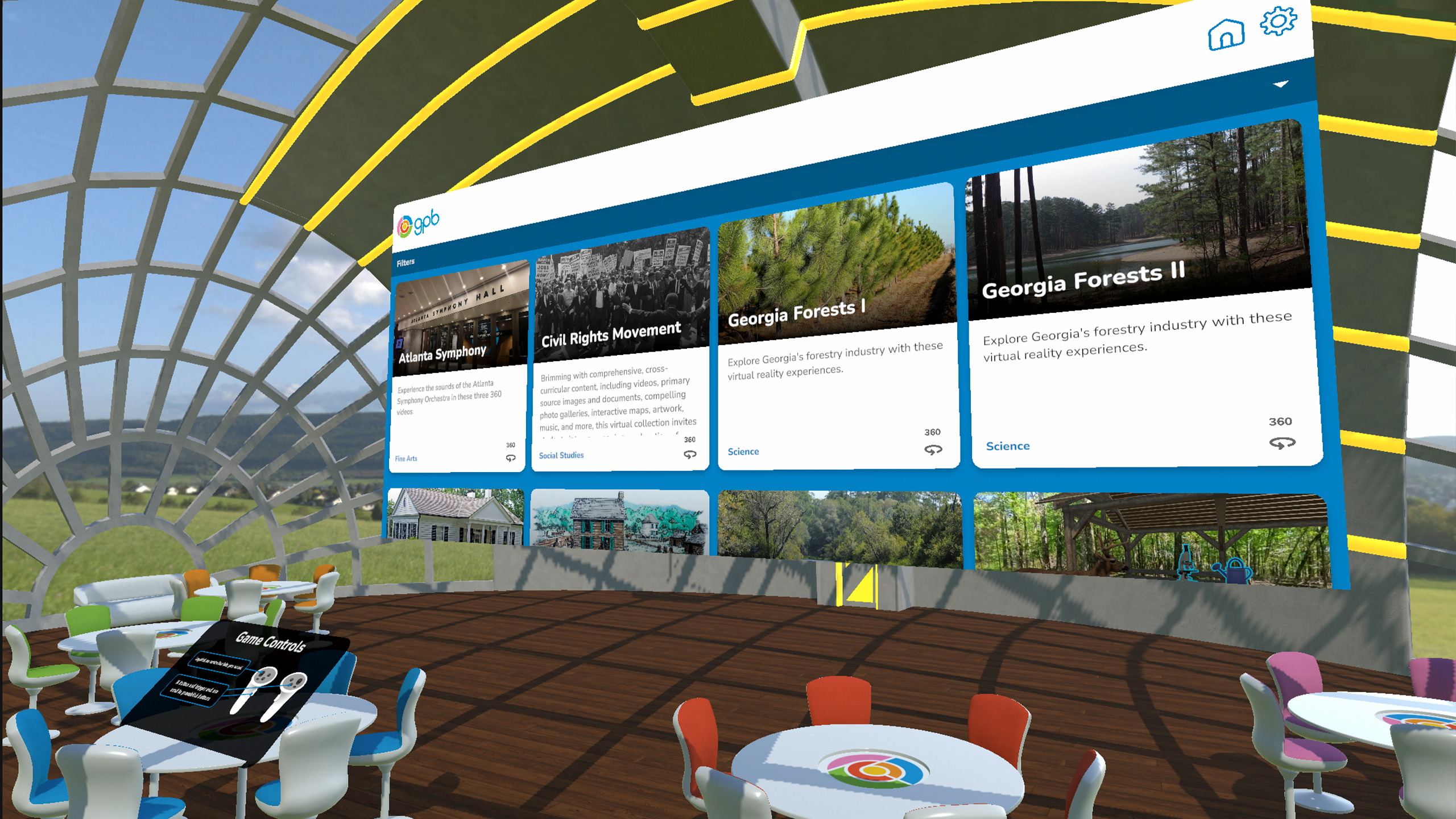
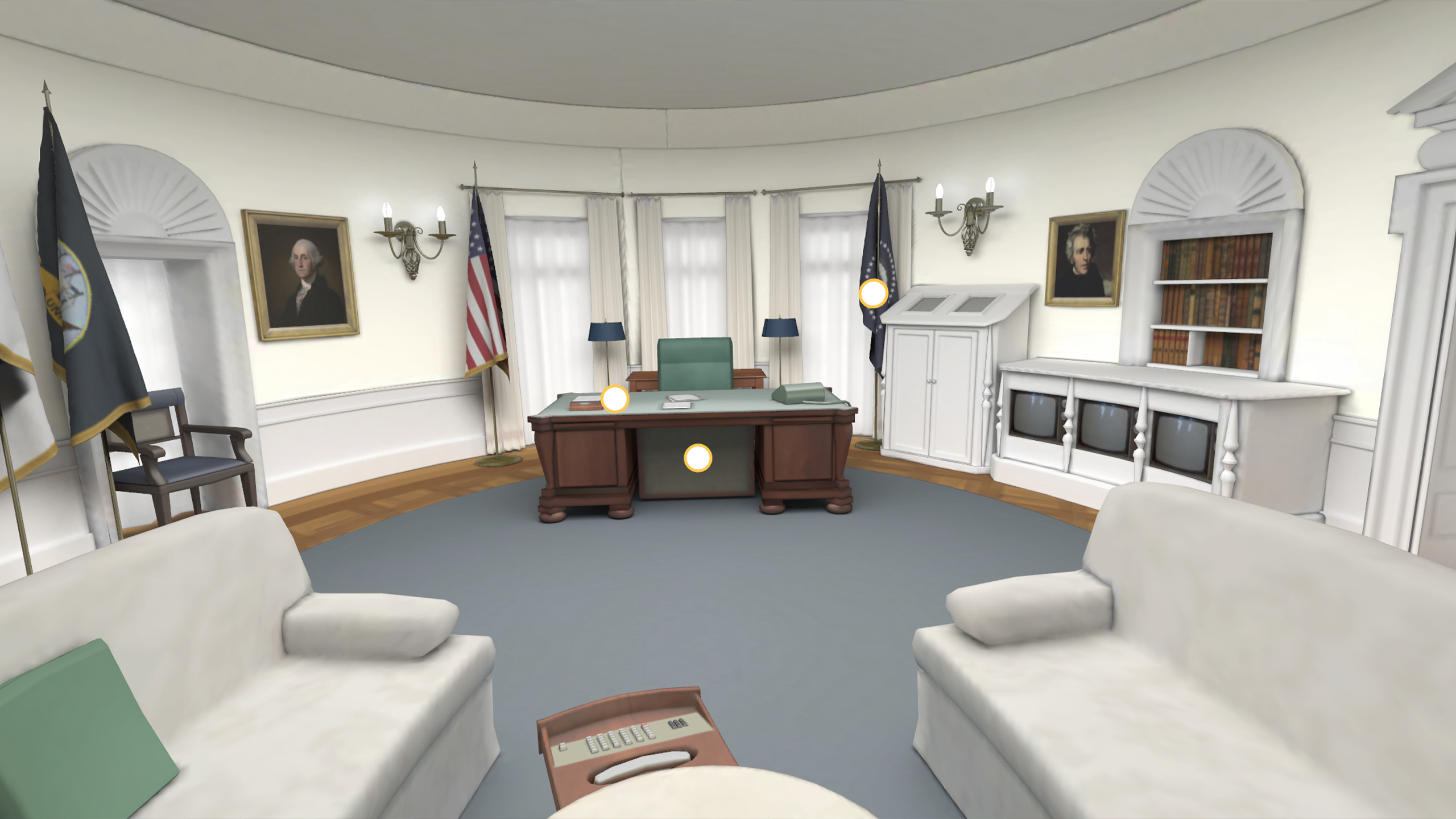
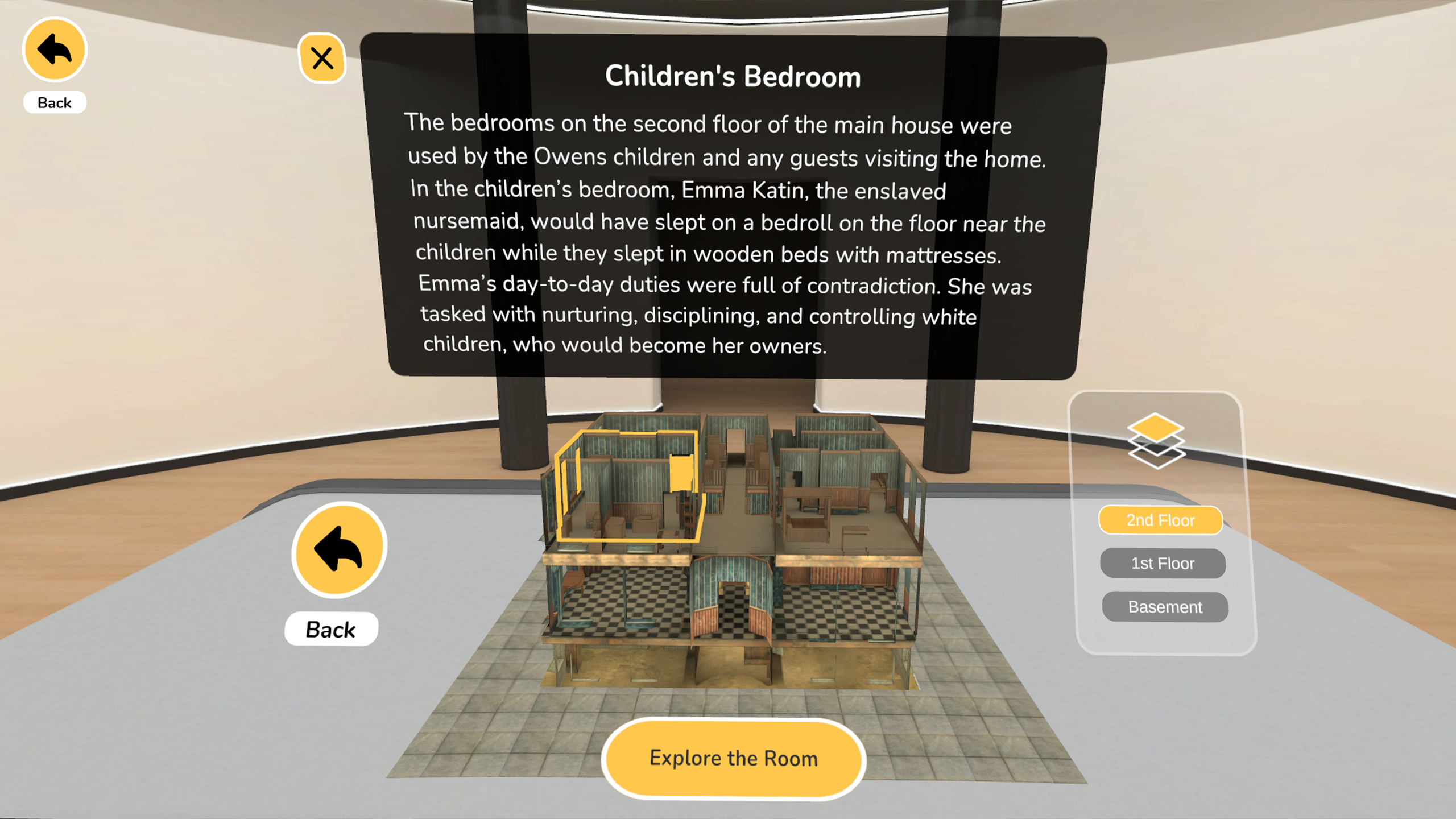
GPB VR|AR, built in conjunction with Georgia Public Broadcasting, is an app aiming to teach middle and high schoolers
about the state of Georgia. It consists of several modules covering many topics including the arts, geography, history, and science.
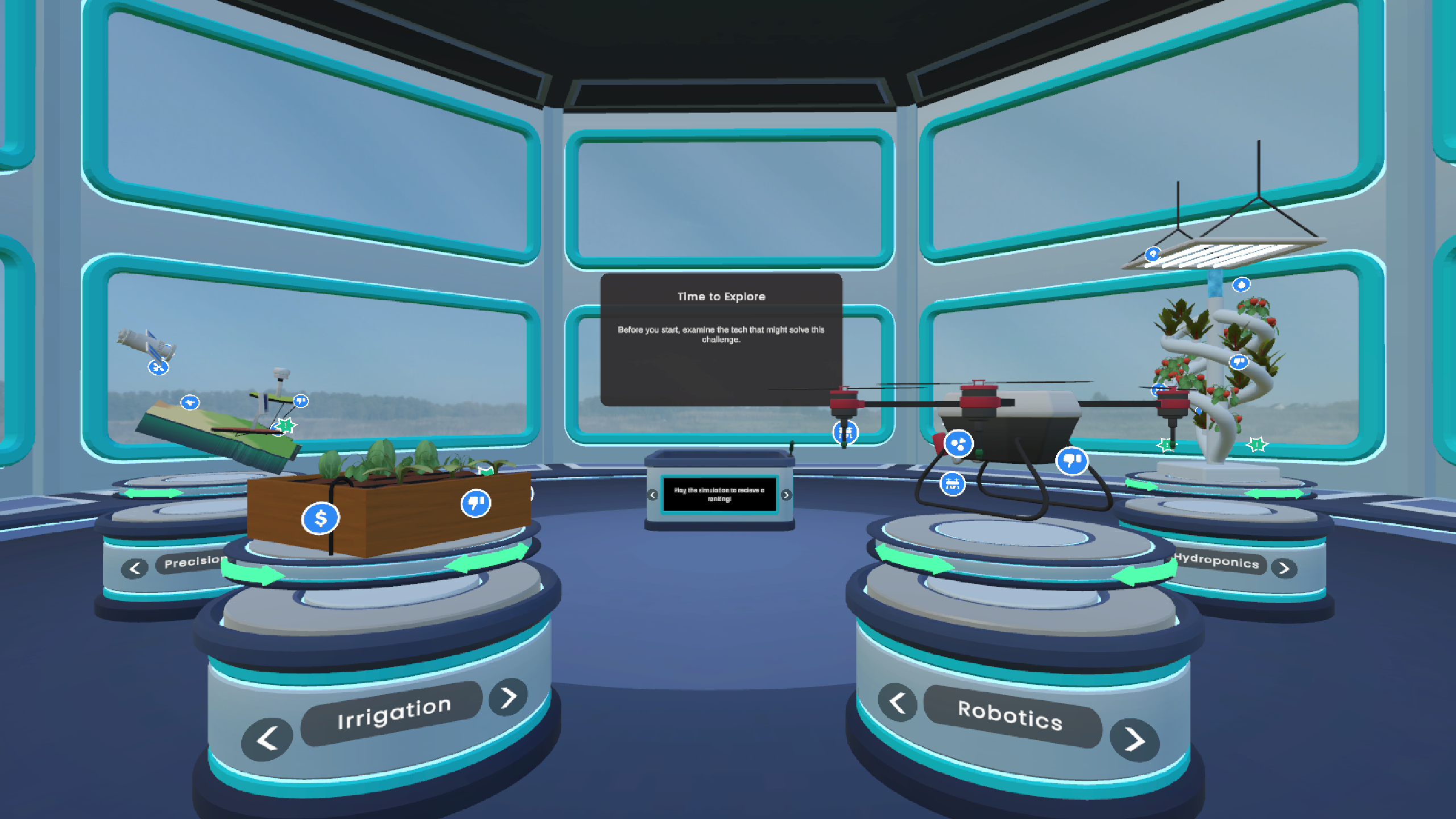
I was intially brought on to build the agriculture module, what would eventually become FarmTech Quest. FTQ consists of two parts. The first
phase is the exploration phase where the user can observe four examples of modern farm equipment and by clicking hotspots on the the object
open up screens with more information. In the second phase, the user then can interact with the simulation. The user takes the role of a consulting
firm and uses the information they just learned to help farmers choose what technology would best help the farm. They are scored on various metrics
and then given a star rating.
This was to be a VR first module, but it also had to stand alone as a WebGL game too. So while I built it with VR in mind, I also had to think of how
to implement all the effects and controls for both desktop and mobile at the same time. I first worked on prototyping the base systems including the
hotspots, the pedestals, and the simulation. Once I had figured that out, I moved to the main project and worked on building the fleshed out version.
The producer said on the beta delivery that she had never posted a build with so few bugs or issues. FarmTech Quest released with the first wave of simple modules.
When the main developer left, I took over as the primary developer for the entire project. For the first release, I worked on polishing tasks to get the
app ready for the initial release. The previous developer had built the entire project. While I was developing FarmTech Quest, I was able to mostly rely on
him when I had questions. However, when he left, it was much harder to get in contact with him. I had to really dig into the codebase and research to answer my
own questions and make the most out of scheduled meetings with him.
For the second release, I worked on the medium complexity modules. These were mostly implemented, but they had various problems and needed polishing. I also implemented
features that the previous developer never got to. For the overall hotspot system, there was supposed to be three types of informational windows - video, images, and text.
However, the text windows were never implemented, so FableVision had to create composite images that had the actual image they wanted to show plus the text that went along with it.
This meant that if GPB wanted some text changed, new images would have to be created. I implemented the text hotspots as precursor to adding a new type of hotspot - gallery hotspots.
These were collections of hotspots into one overall hotspot. This required the full stack - in addition to the front end changes to make it look like how we wanted, I had to change
the back-end to store the information correctly and the CMS so that these could be created by the content entry team.
Information
Status: Released
Type: Phonics Reading App
Website: Nardagani
Find at: Apple Store and
Google Play Store
Development
Role: Developer
Tools: Unity3D
Description
Nardagani is an app designed to teach challenged readers how to read English. When learning how to read English at an older age, it can be hard to grasp how the different
letters interact with eachother to produce the sounds they do. After living in Japan, the founder adapted Hiragana to create phonetic symbols that augment letters to make
it clear what each letter actually sounds like in a word.
I was brought onto the app to get it ready for release after the original studio stopped working on it and FableVision took over. I mostly worked on polishing front-end tasks,
adjusting backgrounds, text, and fixing small issues.
The biggest task I undertook however, was changing their onboarding process. Originally, you had to create an account to try the app for free. They were afraid that having an obstacle that
involves a user giving their email and birthdate would scare users and potential subscribers off before they even saw the program. They asked us to move the sign-in screen to the subscription page.
However, the entire saving system depended on these accounts as their user data was stored off-device on their servers. I thought a lot about what to do about this, since we would need to
save the users' progress before they had an account, and then we would have to associate their save data to their account after making one. To change the way the app stored data to completely
on device or in some sort of hybrid method would have taken a lot of work would both have involved significant changes to the front-end and back-end, plus we would want to make sure that exisiting
users would still be able to access their save data unimpeded. The best solution would be to use the exisiting architecture as much as possible, so I came up with the solution of guest accounts. When
a new user lands on the starting page and clicks "Get Started", a guest account is created on the back-end. All the user's save data is stored to that account and as long as they didn't delete the app
with all of the stored data, it would stay signed-in so the user would not lose their data. When the user is prompted to create their account upon subscribing, they are converting their guest account to
a full account that they could now access on different devices.
Information
Type: Hackathon Project
Project Site: Devpost
Placement: Honorable Mention in Agog's Connecting for Change with Social XR track.
Development
Role: Developer
Tools: Unity3D, Meta Presence Platform
Description
The MIT Reality Hack is an annual XR focused hackathon, bringing together professionals, students, and hobbyists alike. When hearing
about the tracks offered, there was a large focus on connection and sustainability. Combined with the facts that urban areas are lacking in
public third spaces and the rising cost of groceries, a project centered around community gardens seemed like the perfect fit.
I was able to gather a balanced team of a project manager, a 3D artist, a 2D artist, and another developer other than me. When first coming up
with the idea, I had initally thought of a mixed reality experience where the area around you would turn into an abanonded lot that you would clean up
and then create a garden in. When talking to my teammates, they suggested that reframing the situation can help people pay more attention, so we changed
the scale of the experience from a full room to table-top activity.
As a table-top mixed reality experience, and with taking into account the theme of connection, our application was perfect for a co-located experince - where
two or more people can be in the same real space in a shared instance of the application and effect the experience with respect to their respective positions.
Co-location was our greatest challenge during this hackathon. We felt that the connectivity of two people working together to pick up trash, plant and water seeds,
and then harvest the crops was essential to our project. Meta had a workshop on how to implement co-location, though it was still an experiemental feature. I attended
and then followed up several times with the mentors from Meta. Implementation was a challenge since in order to activate co-location, you had to be a part of an established
company group. After talking to the mentors, they were able to set up a group for the hackathon. Once we were able to get it working, we ran into futher issues due to the
experiemental nature of the feature. In addition to some lag issues if we went too fast, we also had some issues where objects could only be seen by one person. There were also
some cases where only the host of the application could activate triggers. In the end, we were able to have a clean experience for the judges.
One of the benefits of having a table-top experience was that we could hook up the main headset to one of our computers so that while one judge was playing the experince with
one of us as the other player, everyone else could see what the judge was seeing. This made it so the other judges could see the experience as well and we could talk about the
application and what the judge was doing at the same time. We were named as one of the honorable mentions for Agog's Connecting for Change with Social XR track.
Information
Type: Hackathon Project
Project Site: Devpost
Development
Role: Developer
Tools: Unity3D, Meta Presence Platform
Description
The MIT Reality Hack is an annual XR focused hackathon, bringing together professionals, students, and hobbyists alike. The 2024
theme was Connection. When thinking about connection and what I might want to build for the hackathon, I realized that I had never
felt more connected to a group when I was playing taiko, Japanese-style drumming, in college. When my group was rehearsing, we never
had enough drums for everyone to play at once. Those without drums had to "air-drum" and make the correct arm movements without a drum
or even drum sticks since you could hurt your wrist that way. It wasn't very satisfying and I thought that without the tactile feedback from
the drums, it was hard to learn the pieces. With VR, however, you could see a virtual drum, have sound come out when you hit it, and have
haptic feedback when the stick makes contact with the drum head. I thought that such an application could be good for indiviual practice,
in MR for rehearal, or even for fully remote rehearsals.
At the hackathon, I found a group of people who were interested in my concept and we workshopped the idea to account for the time we had and
the track we were in, education. We decided that the more free-form idea I had wasn't quite educational enough, so we decided to go with a more
guided experience that aimed to teach people in a non-judgemental way using a narrative as a guide. We ended up building the first level of such
an experience, where the user first hits the drum, learns quarter notes, and jams along with a basic song.
We had intitally thought about building our application in MR, but we quickly ran into issues that caused us to piviot to VR. We also wanted to make
use of Meta's Presence Platform building blocks, but at the time, controllers were not supported. Since I strongly felt that haptics were an important
part of the drumming experience, we had to dig into the API and documentation to bring that vision to life, rather than taking a shortcut.
I worked on developing the core drum interaction where users could hold onto a drumstick, hit the drum, and get sound and haptic feedback. I acted as
the build engineer and playtested our completed project.
Information
Status: Released
Type: Metaverse Hosting
Website: Alakazam (archived)
Development
Role: Feature Developer
Tools: Mozilla Hubs
Description
Alakazam was an all-in-one metaverse solution where a customer can easily get their own metaverse set up
using Alakazam's custom implementation of Mozilla Hubs, custom room scenes, and custom avatars on an Oracle hosting
system in one step. As a feature developer, I worked on adding new features to the base metaverse people get with their subscription.
My major contribution was adding full-body avatars. Most currently available metaverses right now only have half-body
avatars, which are just a floating torso and hands. I created a dual system where people could either use an integration of
ReadyPlayerMe, an online character creation tool, or upload a compatible model of their own to use as an avatar. These
full-body avatars are fully animated and provide a more immersive experience. This addition also doesn't compromise the exisiting half-body
avatar system. People are still able to use half-body avatars in conjunction with full-body avatars.
Additionally, I helped adapt the existing pen tool to create a laser pointer that would allow people to see what others people were looking at.
As a side effect of using full-body avatars, it can be difficult to see what a person is looking at. The animations for the avatars conflicted with the
code used to turn the head to follow the mouse. The pen had a guideline that allowed the user to be able to see where their mouse was pointing so they
could draw. This guideline was visible to others as well, so I isolated that component to create a pointer.
Information
Status: Released
Type: AR Instagram Filter, AR Web Experience
Development
Role: Developer
Tools: SparkAR, 8th Wall
Description
My employer was subcontracted to create an AR Instagram filter to support a showcase for an upcoming
car show. The car model and textures were provided by the car manufacturer and we created a filter that
would place a life-sized car down on any flat surface. The car then be rotated, moved, or scaled how the
user liked. Tapping the car would cycle through the various paint jobs available. An additional experience
was to be created with volumetric video of the influencer designer doing various poses and talking through their
design process.
I intitally worked on creating the web experience using the provided volumetric video of the designer. Using 8thWall,
I created a web app where a user could place the 3D video of the designer in their room and swipe inbetween the various
captures of him. The user could also pause the video and take pictures or recordings of the designer and the surroundings
as captured by the phone camera. I was then put on the Instagram filter, where I made sure the car model would be life-sized
upon spawn and fixed the materials and textures.
Information
Type: Muliplayer VR Experience
Development
Role: Developer
Tools: Unity3D, Meta Avatars, Photon
Description
This service aims to make available specialty help to hospitals and clinics that might be too out of
the way to have ready access to these experts. While they have a solution that involves video chatting,
they wanted a VR solution that would allow the remote doctors to interface in a more physical environment
with the patient at the hospital.
The client wanted users to be able to pick from a set of standarized avatars that incorperated a diverse range
of people. I used a Unity asset that provided a template for using Meta avatars with Photon, allowing for multiplayer
support. I was able to create a system where users could either touch a statue of an avatar to choose one, or press a
button that would pick one at random. The users would be able to see how they looked in a mirror. We did run into a
strange bug where some people would be invisible to new people joining until they changed their avatars. I was able to
do some testing to narrow the bug down to figure out that if a person changed their avatar, new people would not be able
to see the first person until they changed their avatar again. I dug into the error as much as I could through the code
and sent a report to the developer, but I was taken off the project before they replied.
Information
Status: Alpha
Type: eCommerce Metaverse
Development
Role: Developer
Tools: Mozilla Hubs
Description
I created custom AFrame components to create a the intial prototype of a customizable 3D product
object. The object would have a specifiable model, description, price, and other information needed
to identify and sell a product. When a customer would click on the product, a 3D screen would popup
that would allow the customer to be able see the information on the product, switch between different
colors, and then either buy the product or add it to their cart.
I then added a cart/checkout system. Taking inspirtation from hubs, I added custom react components
to the exisitng sidebar create a cart and checkout form. When a user clicks the "Add to Cart" button
on a product's screen, the product gets added to the cart. From there, the customer can either remove
products from their cart or checkout. As part of the checkout system, I integrated Stripe React
Elements to create seamless checkout process from within the room.
On the homepage, I addeded a button that goes directly to a lobby room. I also created a tab system
at the bottom of the page that shows users a grid of featured rooms, random rooms, and if they're
logged in, favorited rooms. I also created a modal where the user can adjust the room settings when
creating a room. I also added a section where a user can add in business information if they plan on
selling things.
On the manage page, I created the product creation modal. This is where a user can add a new product
or edit an exisitng one. I also added a business tab so that the users can edit their business
information for a room.
I also made some miscellaneous changes. I implemented a basic "smooth" turning control for PC users
from the original snap turning system. I made a myriad of basic branding tweaks to the language used
and added a simple FAQ page. I also created a page where users can order their own custom scene
template. I also created a template for reciept emails that will be sent to customers when they buy
somthing.

Information
Type: Research
Original Paper: Homuncular Flexibility in Virtual Reality
Website: Virtual Embodiment Lab
Development
Role: Lead Developer
Tools: Unity3D, Blender
Platform: Oculus Rift
Description
Professor Won approached me to ask if I could could lead a small team in recreating the environment from the second experiment
in her Homuncular Flexibility paper.
In the environment, the participant inhabits an avatar that has a long third arm that sticks out of the chest. The arm is
controlled by rotating the left and right wrists. The participant must touch three targets out of three array of cubes. The
left and right arrays are within easy reach of the left and right arms, but the third array is set back far enough that the
participant would have to step forward in order to reach them. Instead, the participant is to use the third arm to reach the
last target.
I did the bulk of the work on developing the environment and interactions, creating the arrays, target, overall game system, and
the control system for the third arm. Throughout the process, I pair programmed with my team member, showing her how to develop for
VR in Unity. At the time, I was largly inexperienced with Blender, so I delegated the creation of the avatar to my team member.
Information
Status: Ongoing
Type: Education Research
Website: Virtual Embodiment Lab
Development
Role: Developer
Tools: Unity
Platform: Oculus Rift
Description
The Learning Moon Phases in Virtual Reality is a project in
collaboration with the Cornell Physics Department. The goal
of the project is to learn how Virtual Reality can be used in
a classroom setting and if it is as or more effective than
current classroom activities.
Students are placed above the North Pole and from there they
can use the controller to grab and drag the moon around the
Earth to showcase how the moon phases change. The student also
has the option of viewing the scene from far above the Earth
and right on the Earth's surface. Throughout the experience,
students are quizzed as they interact with the material.
As part of the experiment, data from the headset and controllers
are recorded from each session. I helped fine-tune the method
so that the resulting spreadsheets were easy to find and did
not overwrite previous ones. When we got feedback from students
that they would prefer to be in some sort of body instead of just
floating in space, I prepped and installed an astronaut avatar
which then needed adjusting for a good experience. I also
helped adapt the environment for multiple people when we decided
to add multiplayer support.
Information
Status: Released
Type: Mobile Game
Find At: Apple App Store and
Google Play
Development
Role: Producer/Programmer
Tools: Unity
Platform: Mobile
Description
Merge Critters is a merge idle game where cute critters take
up weapons to defend their homeland from a demon invasion.
This game was built as a part of MassDiGI's 2019 Summer Innovation
Program where mobile games are built from inception to release
by a team of student developers.
As the producer, I lead the team through the process of planning,
designing, and implementing of a novel game concept from genre
research to release. I facilitated effective communication between
team members during meetings and defended my team's decisions to
our supervisors. As a programmer, I built key systems in our game
as well as installed all of the art assets.
Development
Role: Contributor
Tools: Electron, Travis CI
Description
Pyret is a programming language designed for teaching people how
to code at a high school and introductory collegiate level.
Pyret was created because popular programming languages used
for teaching today, like Python, have idiosyncrasies that confuse
students and hold up their learning. Since the developers created
Pyret with teaching in mind, they are able to take the best
of Python and add features that they feel it is missing.
At the time, Pyret was completely online with a web editor and
runtime environment with Google Drive integration.
As part of Cornell's Open Source Software Engineering course,
I and a small team worked with one of the lead developers of the project. They
had been getting requests for a version of the editor that
would interface with a local file system instead, and had
my team look into creating a native desktop application.
I worked on getting the web version of Pyret to work with
Electron, a framework that can take existing web applications
and create desktop applications. Once we got the desktop
application to work and interface with the local file system,
we were given the task to use Travis CI to automatically create
and upload new installers every time a branch is pushed to.
Information
Type: Research Platform
Development
Role: UI Developer
Tools: React
Description
For Cornell's Software Engineering course, students are broken
into small teams and are commissioned by various groups within
the University to build something for them. We would then go
through an entire agile sprint development process from a
feasibility report to final submission.
My team's client was a professor from the Department of
Information Science, Malte Jung. He was studying how humans
collaborate when there is a third, robot, agent interceding.
His original design included two students and a robotic arm
building a tower out of Jenga blocks. The robot would give
the students the blocks in turn. However, sometimes the algorithm
for the handing out wasn't strictly alternating between the students;
sometimes, it was random or favoring one student over another.
Our project was to create a research platform to extend his
original design to work over the internet. However, instead
of building a tower, he wanted us to build a collaborative
Tetris game, where the robot agent chooses who has control
over the next block placement.
I headed my team's UI subcommittee and led my team through a
user-centered design process. We worked with a student in design
our client brought in to mock up a wireframe, which I then turned
into a paper prototype that everyone in my group could print out
and test with potential users. Once we received feedback on the
initial design, we then created a high-fidelity prototype.
Once we went through another round of user testing, we incorporated
the feedback we received into the final application.
Information
Type: Research
Website: Wellesley HCI Lab
Paper: ARtLens
Development
Role: Developer
Tools: Unity
Platform: Microsoft HoloLens
Description
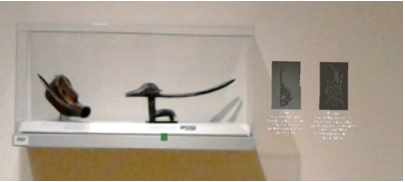
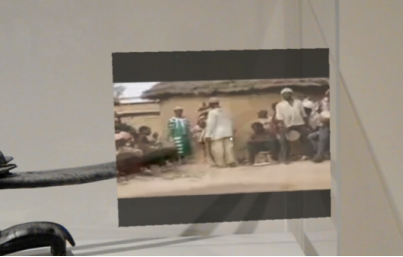
ARtLens aims to elevate current augmented reality museum tours
that are on phones or tablets by utilizing the Microsoft HoloLens.
With a headset, patrons are able to look at the exhibits instead
of a screen and have their hands free to interact with the
extra content in a way not possible with a phone or tablet. This
project was built in collaboration with the Davis Museum at
Wellesley College.
I worked on the initial design and testing of the application.
We wanted to use "hotspots" - places in space that the HoloLens
would recognize and then bring up the content for that particular place.
In this case, we wanted certain art pieces to be the hotspots
so that a user could walk up to one and the HoloLens would
recognize which one it was without an anchor image.
Since this was a feature we weren't familiar with and documentation
at the time was sparse, I worked on testing and finding limitations
that would need to be taken into account when building the application
to work with the exhibit at the Davis.
Information
Type: Research
Video: SUI '17 Talk
Paper: EyeSee360 SUI '17
Development
Role: Developer
Tools: Unity
Platform: Microsoft HoloLens
Description
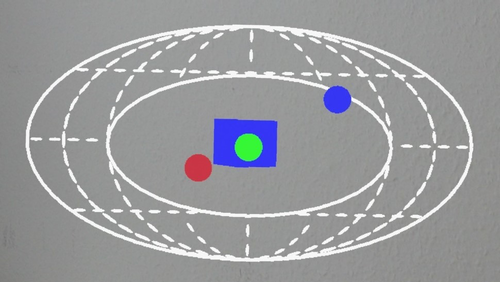
EyeSee360 is a visualization system designed to map out-of-view
objects in an intuitive way for augmented reality. The system
presents a coordinate plane that represents the full world around
the user as a heads-up display. Important items are mapped onto
that plane in relation to where they are compared to the user.
The part of the plane that represents the user's field of vision
is left blank.
I was able to work on this project for a summer in Germany as part
of a National Science Foundation International Research Experiences
for Students program. EyeSee had already been built for the Google
Cardboard, however, with visual see-through augmented reality
systems, there can be video lag that can cause motion sickness,
as well with the nature of the headset blocking a large part
of the peripheral vision of the user.
Once I learned how to use Unity, my job was to port the Google
Cardboard version to the Microsoft HoloLens. When I finished,
I built compression functions in an effort to maximize the clear
space in EyeSee's UI without compromising the effectiveness of
the visualization. As the final part of my involvement, I built
the beginnings of a game that utilized EyeSee360. The goal was
to eventually release it onto the HoloLens store to gather data
on the effectiveness of the visualization.